 ART & DESIGN STUDIO
01 / The brief
What the project needed.
Tamerly needed to make a daily boundary easy to set and easy to understand. People should be able to choose which apps to limit, see what’s protected and know what happens when they reach a limit.
Brand identity · Product design · iOS development
An iPhone app for setting daily limits on the apps that pull you in.

01 / The brief
Tamerly needed to make a daily boundary easy to set and easy to understand. People should be able to choose which apps to limit, see what’s protected and know what happens when they reach a limit.
02 / Design approach
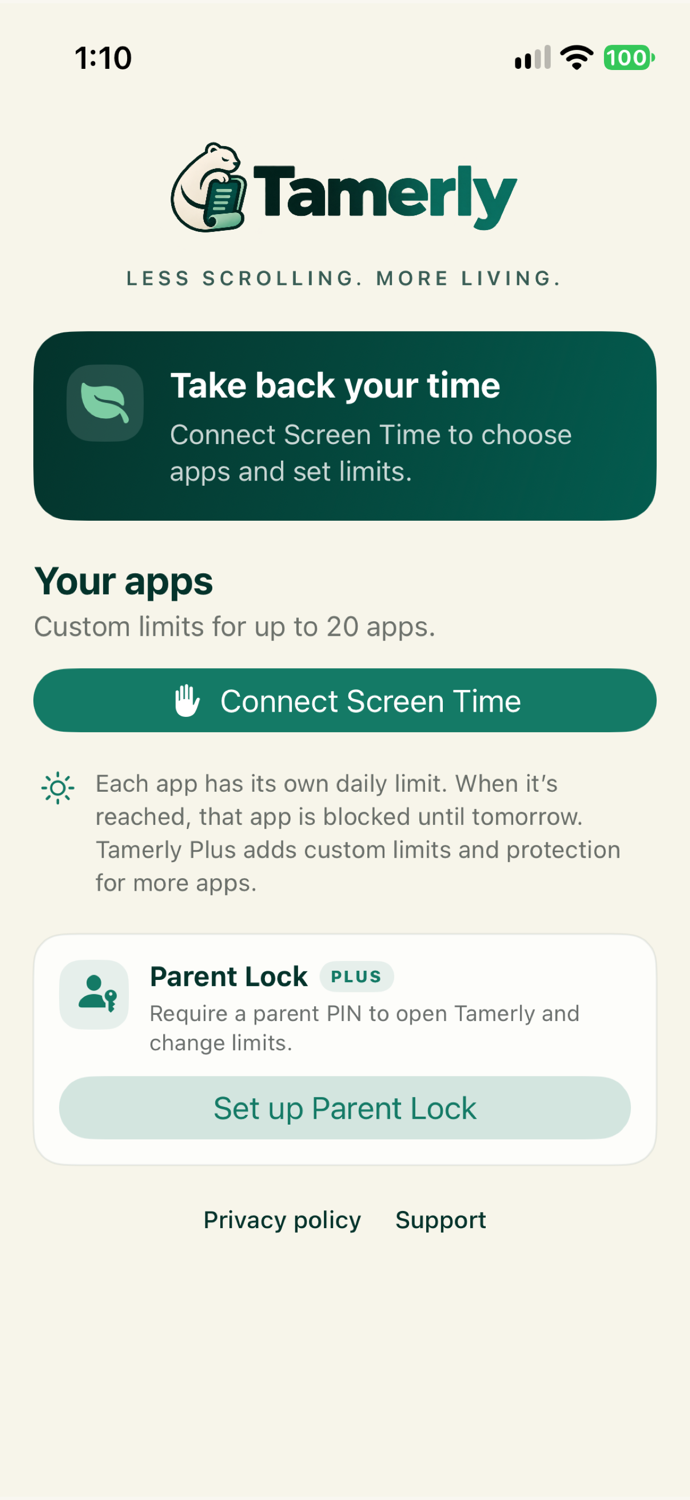
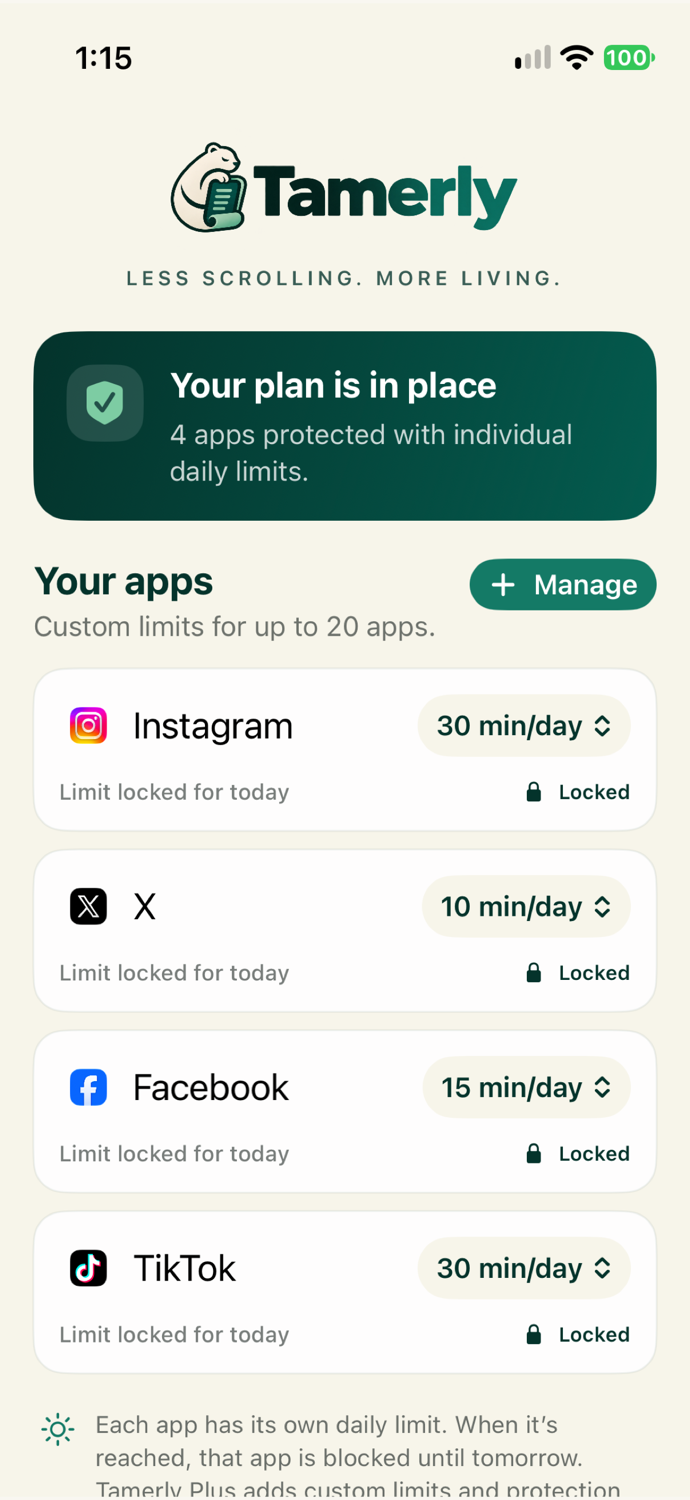
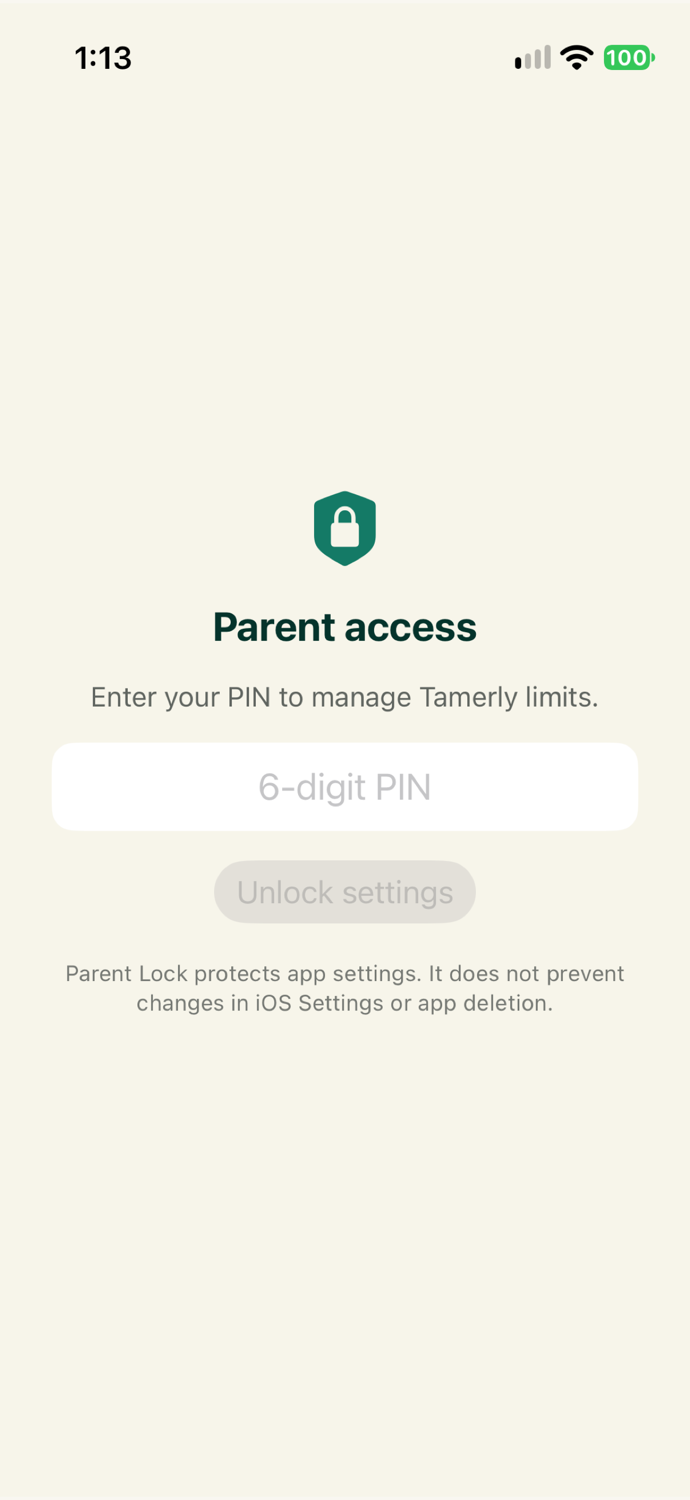
We designed the setup around connecting Apple Screen Time, choosing apps and setting a daily limit. Each app card pairs the limit with its current status. Parent Lock in Tamerly Plus uses a PIN to protect access to Tamerly’s settings.
03 / Experience
01
Grant access and choose the apps you want to limit.
02
Set a daily limit for a selected app and apply protection.
03
Check each app’s daily limit and whether it has been reached.
04 / Deliverables
The project includes the iPhone app, the bear mascot and visual identity, and the App Store creative. The screens below show setup, active daily limits and Parent Lock.

Next case study